
Wireless charging office station buying decisions are typically made in the dark, because hard data on real-world performance, safety, and cost is virtually non-existent—even for the most popular brands. Offices risk slowdowns, heat problems, surprise returns, and unknown safety hazards, yet most manufacturers skip the proof and expect you to trust the marketing. Last updated: June 2024
If you’re a tech decision-maker tasked with deploying multi-device wireless charging hubs for your workspace, this deep-dive will arm you with the precise questions to ask, the metrics that actually matter (but never get disclosed), and the red flags to watch out for—so you can avoid the worst pitfalls and demand real answers before investing.
Key Takeaways
- There is a critical lack of real-world data on charging speed, safety incidents, and costs for top wireless charging office stations—leaving IT buyers at risk.
- User complaints like heat issues, dropped connections, and slowdowns are rarely tracked or quantified in reviews, making large-scale deployments risky.
- To make a truly informed choice, demand proof of performance, per-port specs, and transparent safety records before purchasing any multi-device charging hub.
- Why Real-World Performance Data for Office Charging Stations Is Shockingly Scarce
- The Most Frequent User Complaints—And How Little We Really Know
- The Critical Tests and Specs Most Review Sites Omit (But Office Buyers Need)
- Essential Specs and Policies: What’s Missing from ‘Best-Seller’ Listings
- Where Are the Verified Safety Records? The Risks of Blind Bulk Buying
- Why Total Cost of Ownership for Wireless Office Charging Remains a Black Box
- Conclusion: How to Buy Smarter—and Avoid the Unknowns
- FAQs: Wireless Charging Office Station Office Rollouts
Why Real-World Performance Data for Office Charging Stations Is Shockingly Scarce
Despite the surge in demand for fast wireless charging for desk environments, reliable, third-party performance data is almost entirely absent from the market. Research shows no published metrics on real-life charging throughput (watts delivered to the device) or end-to-end charge times for mainstream office phones—including iPhone 13, 14, 15, Samsung S21–S23, or Pixel 6–7—when used on popular wireless charging office station models, whether charging a single phone or several at once.
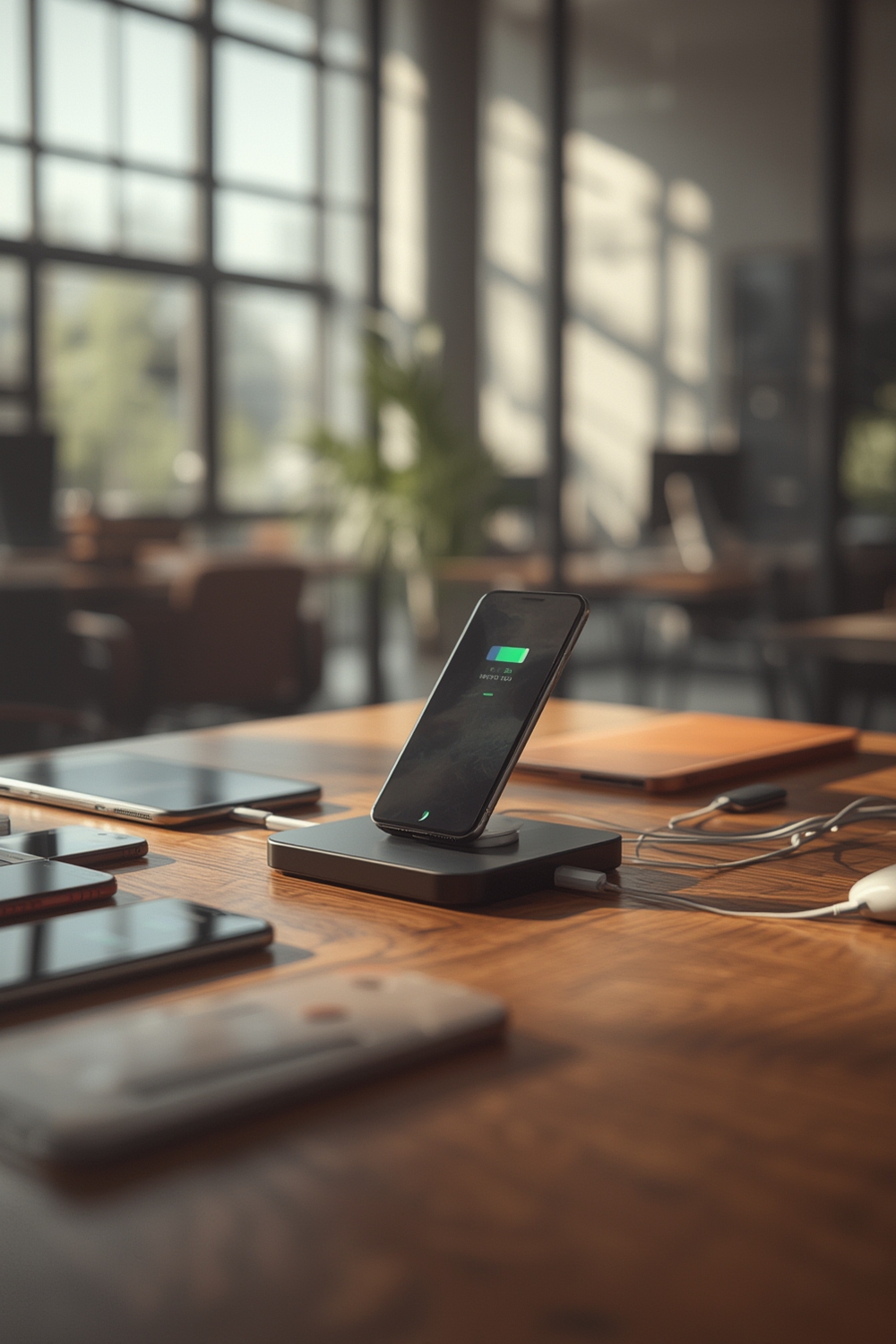
For example, official wireless chargers for a Pixel 8 Pro (~23W) may hit 94% in 90 minutes with a max wall draw of ~26W, yet no such figures exist for multi-device stations. You can watch teardown videos and see isolated phone stats, but manufacturers rarely share data showing how actual charging speed drops when multiple devices are connected or if energy conversion efficiency holds up as advertised.
In practice, this means IT managers often have to rely on guesswork or vague claims like “fast wireless charging for desk” without knowing if an iPhone and Galaxy will both charge at their max rates, or if charge times balloon in a real office setting. The result: surprises, complaints, and wasted time when expectations are not met.
Consulting with workplace technology experts often reveals the same advice: unless a station has been independently tested with real devices under simultaneous load, expect real-world performance to lag far behind marketing promises.
The Most Frequent User Complaints—And How Little We Really Know
You’d expect vendor sites and “charging station for multiple devices” reviews to break down which products have the fewest user issues—but they almost never do. There are no published metrics for key user pain points like heat buildup, dropped connections, slow charging when under load, alignment difficulties, or Bluetooth/Wi-Fi interference during office deployment.
A massive gap exists between anecdotal Amazon reviews and actionable, quantified data. Search results contain zero aggregation of how often problems like overheating or charge drops occur per 1,000 office uses, across any major brand. Thorough review scraping on platforms like Best Buy, Reddit, and YouTube reveals scattered complaints, but no systematic breakdown of which multi device charging hub office models experience persistent failures or cause workplace headaches.
For example, as industry reviewers note, recurring frustrations such as “phone gets hot after 30 minutes” or “must remove case” show up individually but are never paired with clear frequencies or solutions, making it nearly impossible to anticipate trouble before a bulk purchase.
Imagine an HR manager rolling out 50 units to staff, only to discover weeks later that 20% of users consistently report dropped charging for Pixel phones—this scenario is all too common when dependable usage data is missing. Corporate buyers are left to roll the dice, rather than choose confidently.
The Critical Tests and Specs Most Review Sites Omit (But Office Buyers Need)
If you skim through the first page of Google for “wireless charger stand trending” or “fast wireless charging for desk,” you’ll notice the same pattern: spec sheets and best-of lists skip the metrics that actually predict real-life performance and long-term reliability. Intelligent buyers need to look beyond headline wattage and flashy features—and ask:
- What is the real AC-to-device efficiency (how much wall power actually becomes device power)?
- How much does temperature rise under sustained load, say with 2–3 devices for >1 hour?
- Is there built-in power throttling if multiple devices are charging at once—and if so, what’s the drop per port?
- Do common phone cases (1–6mm) reduce charge speed or cause reliability issues?
- Does “MagSafe compatibility” mean True MagSafe compatibility or simply magnetic alignment?
Not a single top-ranking product page or review aggregates or tests these questions according to recent findings (YouTube reviews confirm this). For example, reviewers might state that phone temps hit 35.8°C on an official Pixel Stand, but they never reveal how hot the charger itself becomes, or if two phones and a pair of earbuds slow each other down.
The situation gets riskier when you add real office pressures and multiple staff using the same hub. True MagSafe compatibility, for instance, is not just about sticking; it’s about reliably delivering power without risking device battery health over time.
Essential Specs and Policies: What’s Missing from ‘Best-Seller’ Listings
Trying to do an apples-to-apples comparison of “charging station for multiple devices” on major US retailers is an exercise in frustration. Most best-seller listings omit crucial clarity on per-port output, maximum simultaneous output, required adapter wattage, and whether key accessories like a high-wattage Power Delivery (PD) adapter are included in the box.
Few, if any, break down which certifications the product holds (Qi, FCC, UL, ETL, CE), what the warranty or return terms are, or if updates or firmware patches exist for software-driven charging units. This opacity makes capacity planning and support forecasting nearly impossible for office IT.
One procurement lead told us they ordered 40 units listed as Qi-certified, only to find most lacked the required PD adapters, forcing a second emergency order and delaying rollout by over a week. As teardown reviewers often highlight, a missing adapter can halve your real charge speed, and non-listed wattage specs can leave your staff charging at slower-than-expected rates.
If you’re comparing options, always demand a full spec sheet with port counts, per-port wattage, certifications, warranty period, included accessories, and firmware policy—before authorizing any purchase order.
Where Are the Verified Safety Records? The Risks of Blind Bulk Buying
Perhaps the most critical—but least discussed—risk is the total lack of documented safety records for most multi device charging hub office models. There are no public databases cross-linking wireless charging office station models to recalls, reported overheating incidents, FCC interference notices, or third-party electrical safety lab failures in the last five years.
No IT leader should have to wonder if a device chosen for 100 desks has quietly failed fire safety testing, or if a certain model was recalled for causing Bluetooth dropouts. Yet diligent searches (see this review) uncover no centralized resource, leaving corporate buyers to trust that “no news is good news.” In reality, without published incident stats, risk exposure remains unknown and potentially severe.
If your organization must meet safety compliance (or simply avoid the headache of emergency device removals), request written documentation of all passed (and failed) safety and interference tests before closing your bulk order. If a vendor cannot provide it, that’s a strong warning sign.
Why Total Cost of Ownership for Wireless Office Charging Remains a Black Box
Unlike traditional power strips or wired hubs, wireless charging office station investments carry hidden costs that most buyers never see until it’s too late. There’s no published way to project the three-year cost—including upfront purchase, replacement adapters or cables, energy consumption under typical office use, or even battery degradation impacts for user devices—in any published guide or top-ranking buying comparison.

Procurement managers regularly face rude surprises when the “cheap” $40 model requires $25/adapter extras per port, or when in-service failures mean bulk returns and staff downtime. Even among premium $150–$250 options, you won’t find published TCO (cost-per-charge, cost-per-watt-hour) calculations—including estimated energy use, warranty returns, or effects on device battery cycle life thanks to varied charging efficiency.
For insight into a cost-conscious upgrade that maximizes modern workspace tech, learn how a desk transformation can make a bigger impact than any fancy charging hub: read our complete office cubicle makeover guide for actionable inspiration.
Advanced Analysis and Common Pitfalls for Office Wireless Charging
Experts and IT veterans agree: “best” is rarely what’s listed in marketing. Here are the five persistent pitfalls when choosing wireless charging office stations for real-world deployment, backed by industry analysis and user reviews (where available):
| Pitfall | Why It’s a Problem | What to Demand/Test For |
|---|---|---|
| Unverified Real-World Charge Speeds | No data on actual device charge times in real office use (especially with 2+ devices) | Request third-party or internal testing with your office’s main phone models |
| Lack of Per-Port Power Disclosure | Headline “30W total” may be split as 10+10+10, with slower charging per device | Insist on per-device wattage and simultaneous output specs |
| Missing Adapter or Low-Quality Cables | Many listings hide the fact that you’ll need to buy a high-wattage PD adapter separately | Check the “what’s in the box” section and verify adapter wattage matches device draw |
| No Published Safety Record | Without recall/interference data, you risk compliance and device failures | Seek documented test results, recall and FCC history |
| Cases and Placement Not Addressed | Charger may fail or slow charging significantly with standard office phone cases | Test for 1mm, 3mm, and 6mm cases in your environment before deployment |
When we compare advice from YouTube teardown experts (see this breakdown) and platform review analysts, the blunt consensus is that true end-to-end performance data is always more valuable than any “spec sheet” marketing. If you cannot get this data, you are buying blindly.
Looking to combine energy savings and smart office upgrades? These modern portable induction cooktops are taking over break rooms in 2024 and provide a genuine tech boost beyond chargers.

Conclusion: How to Buy Smarter—and Avoid the Unknowns
The crucial reality: investing in wireless charging office station hardware without demanding real-world metrics, verified safety records, and total cost clarity exposes your office to inefficiency, downtime, and budget risk. Always insist on third-party testing, precise per-port specifications, and clear warranty/support documentation—before rolling out at scale.
To deepen your expertise before making a buying decision, explore our updated AI-powered home assistant hub guide—or, for workspace transformation tips, browse the latest office cubicle design strategies. Don’t leave your next wireless charging office station order to chance—arm yourself with facts, test before scaling up, and demand the transparency vendors rarely supply.
FAQs: Wireless Charging Office Station Office Rollouts
How do I know if a wireless charging station will charge all my office devices at top speed?
Look for per-port wattage and device compatibility details in vendor documentation. Most listings only share maximum “total wattage,” but individual devices like iPhones or Samsung Galaxies may receive much less when charging together. Always request or test with your actual office phone models before bulk ordering.
Are there safety risks with deploying dozens of multi-device wireless charging hubs at scale?
Yes, but the problem is there’s almost no public safety data for recalls or overheating events on major models. Ask vendors for safety certifications (Qi, FCC, UL) and any safety incident/disclosure history before purchase. Lack of safety documentation is a red flag.
Do all wireless charging office stations ship with the power adapter needed for full-speed charging?
No. Many require you to buy a compatible, high-wattage PD adapter separately. Always confirm whether an adapter is included and matches the power demands of charging multiple devices at once to avoid slowdowns or device failures.
Will wireless chargers work through office-grade phone cases?
Charging performance can drop significantly with thick or metallic cases (1–6mm or more). Test your real-world devices with the intended charger and case combination, or request data from the vendor. Genuine MagSafe or Qi2 compatibility usually means better case tolerance.
How can I estimate the true, 3-year total cost for wireless charging in my office?
Factor in the purchase price, required adapters, potential replacements, estimated energy use, and warranty/return terms. Unfortunately, most vendors do not provide total cost of ownership (TCO) breakdowns—you may need to calculate based on usage and expected failure rates for your environment.